Start here
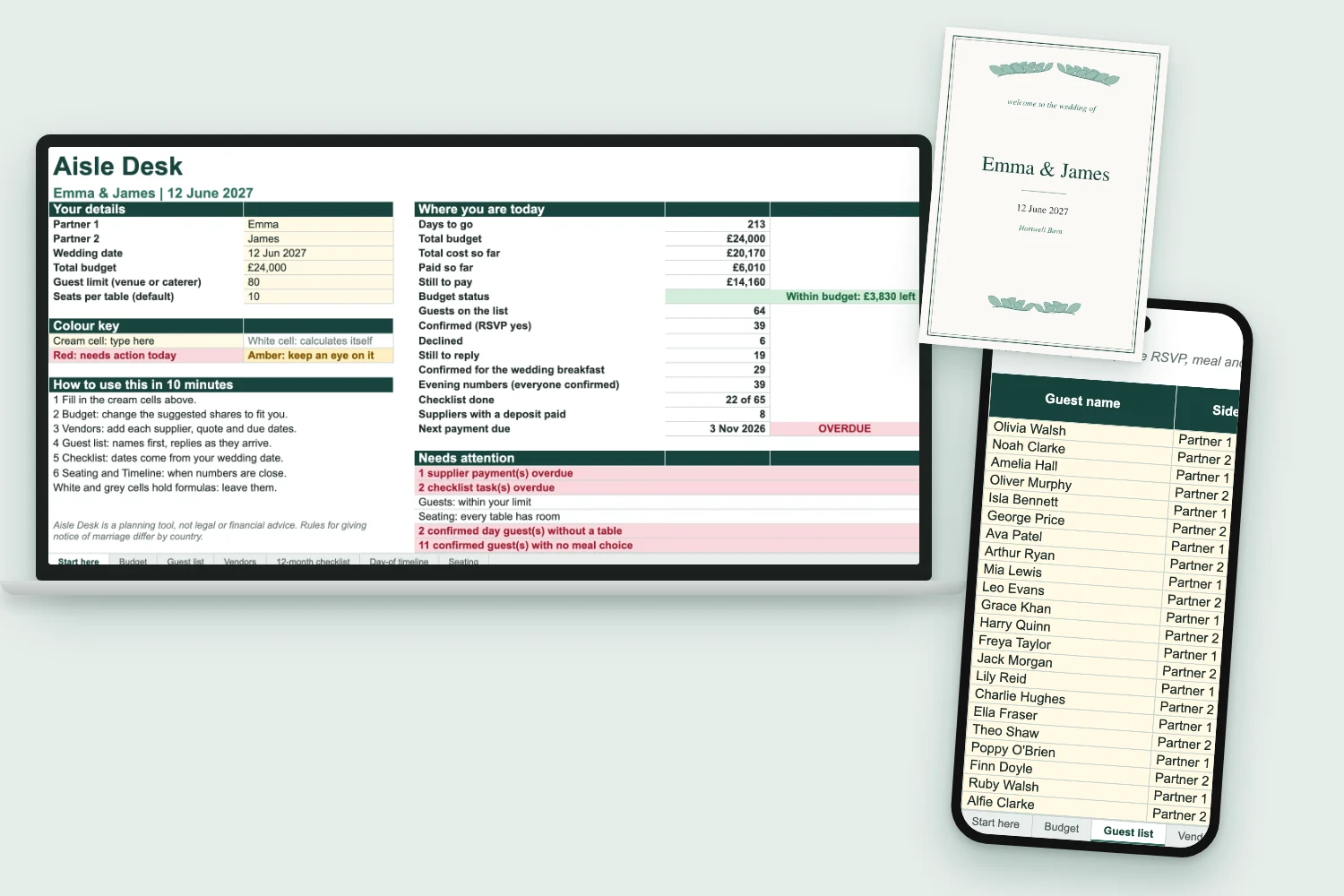
Your names, date and total. A summary of money, guests and tasks, and the Needs attention box.
Aisle Desk is a wedding planner for Google Sheets and Excel, written in UK and Irish wedding terms: day guests, evening guests, the wedding breakfast, and who is paying for what.
Get Aisle Desk for €19One payment. VAT included. Instant download. 30 day money back.
Each of these gets its own place in Aisle Desk, and the sheet does the adding up for you.
Change one RSVP and the confirmed count, the meals for the caterer and the numbers for the venue update themselves. Watch it happen.
Example data. The numbers in your copy start at zero.
Open Start here on a Sunday evening. A box called Needs attention is either quiet or red. It reads your suppliers, your guests, your seating and your checklist so you do not have to. What does it flag? You will know the first time it does.
Swipe the picture to see the whole tab.
Your names, date and total. A summary of money, guests and tasks, and the Needs attention box.
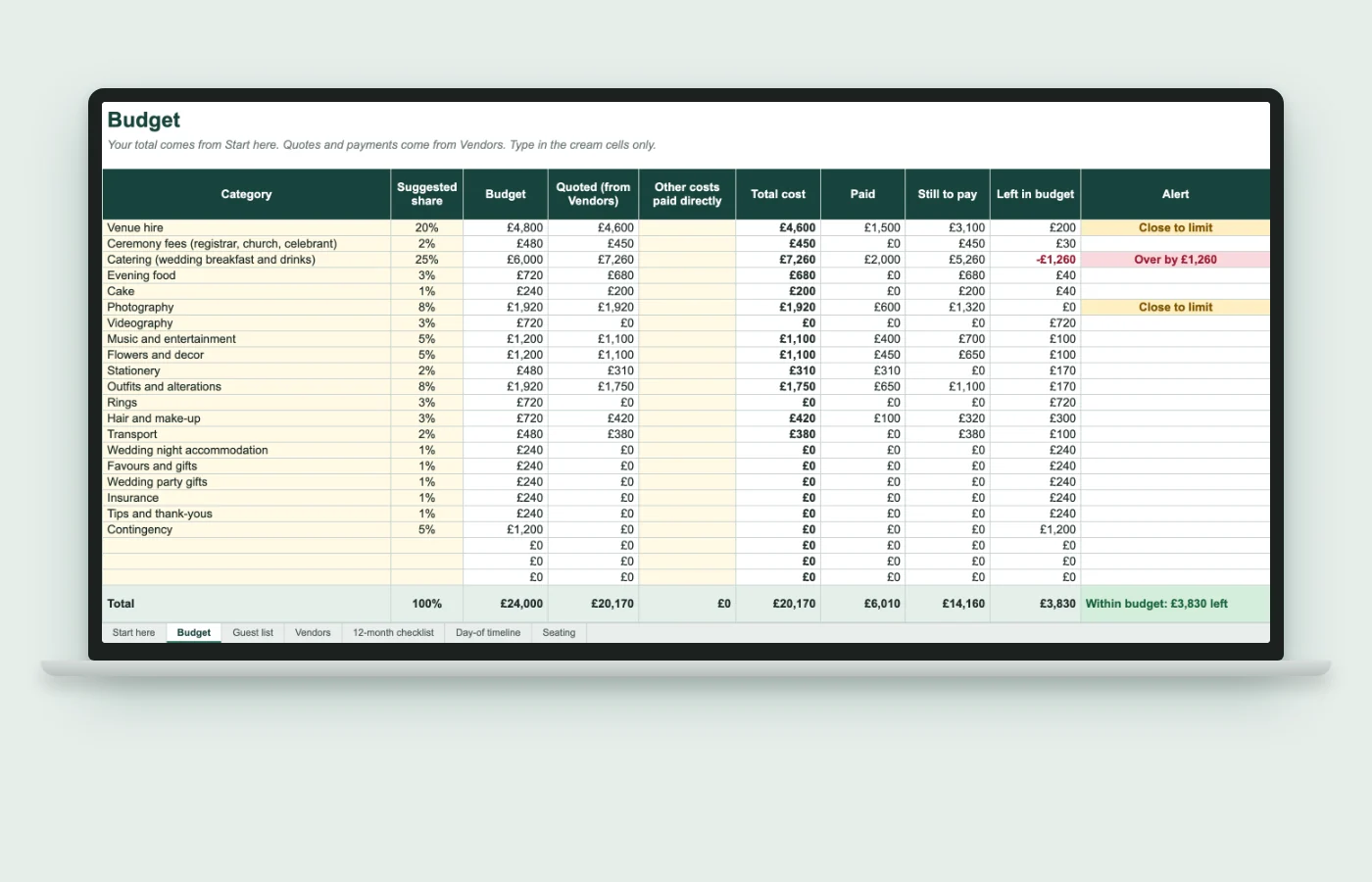
20 categories with UK and Irish names, a suggested share of your total for each, and alerts when you go over.
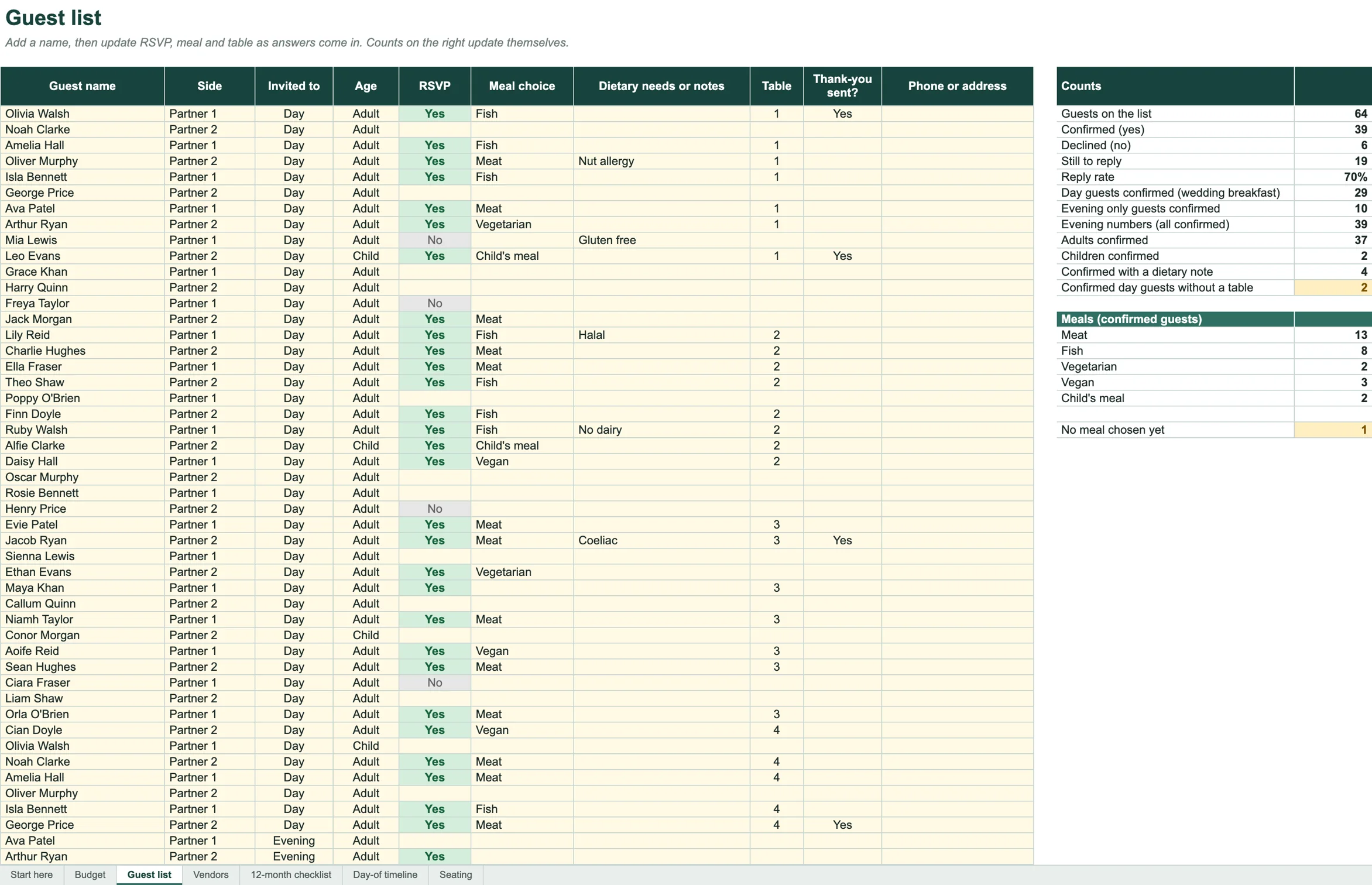
Up to 200 guests with RSVP, day or evening, meal, dietary needs and table. Counts update as you type.
Every supplier with quote, deposit, balance and payment dates. It tells you who is paid and who is next.
65 tasks with due dates worked out from your wedding date. Late ones turn red.
Start times that follow each other, plus the phone numbers you will need on the day.
Twelve tables that fill from your guest list. A warning shows when a table has too many.
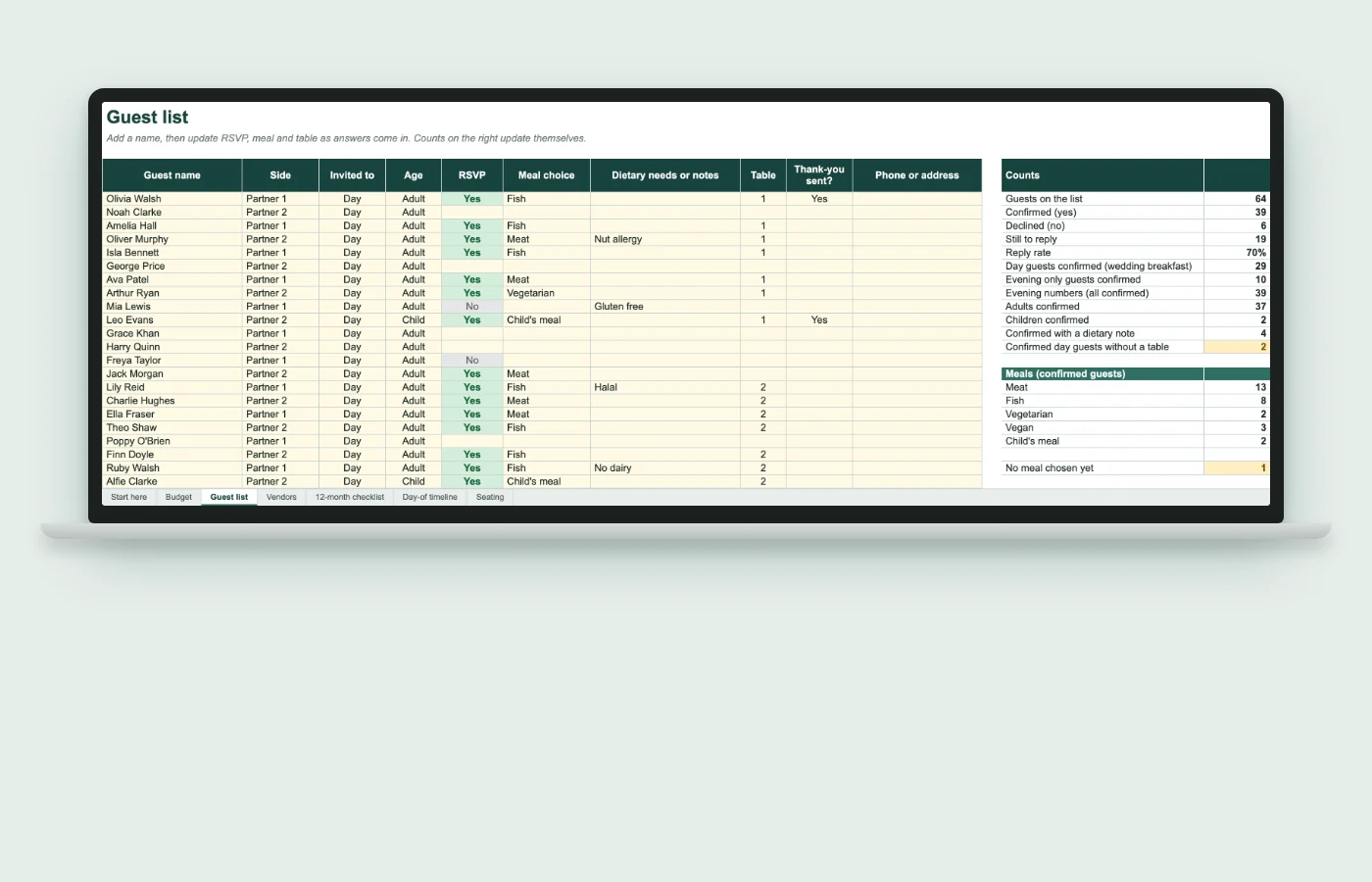
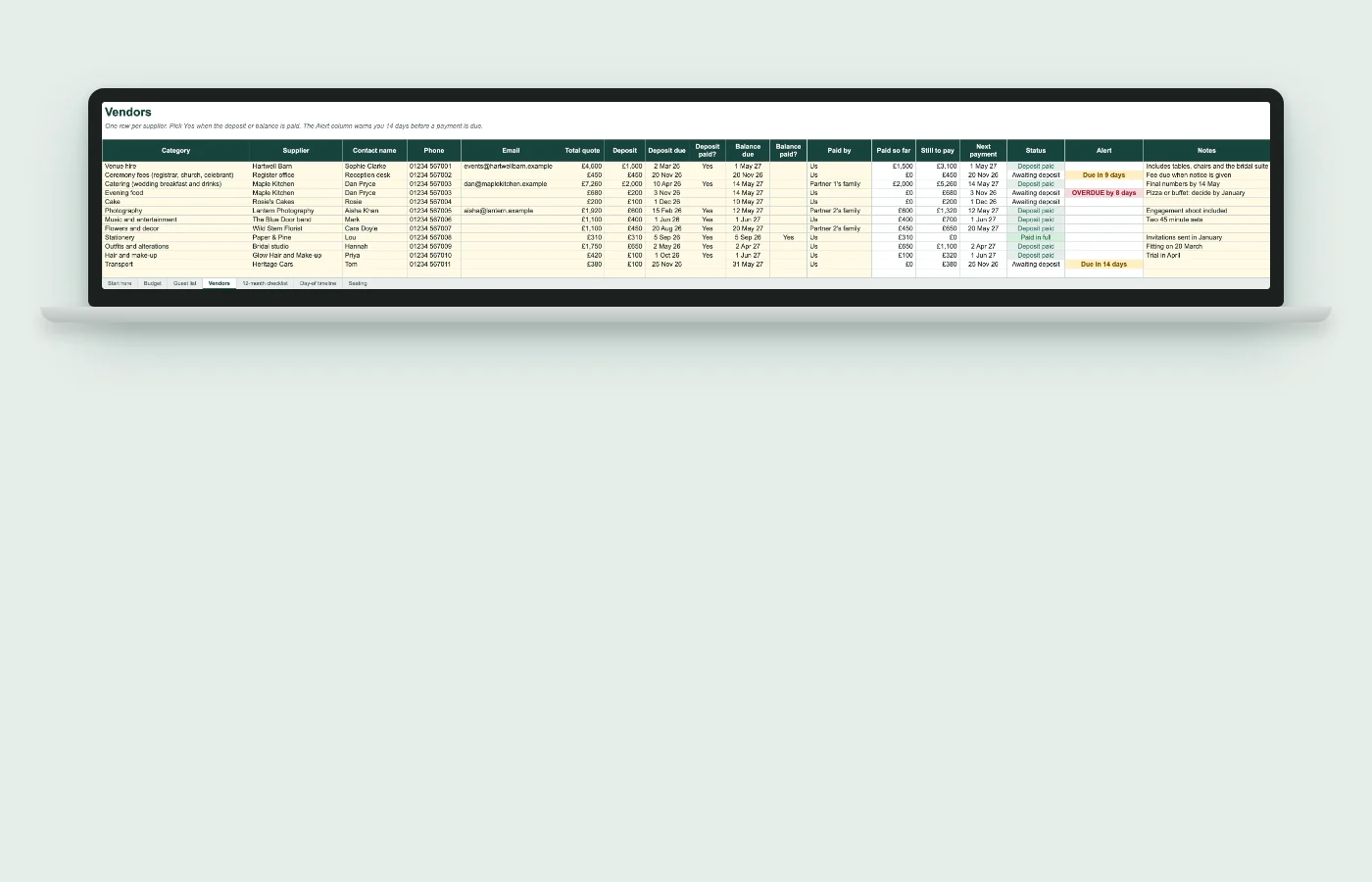
Swipe the pictures to see the whole tab.
Every task has a date counted back from your wedding. Late tasks show red until you tick them.
Example data with a wedding date of 12 June 2027.
This is the Guest list tab from the filled in example that comes with your download. Yours is blank, so you start from your own names.
€19 one payment
Secure checkout on Hotmart. Cards and other methods shown at checkout.
Open it, fill in your names, add a supplier and a few guests. If Aisle Desk is not right for you, write to mateus@myno.com.br within 30 days and you get your money back.
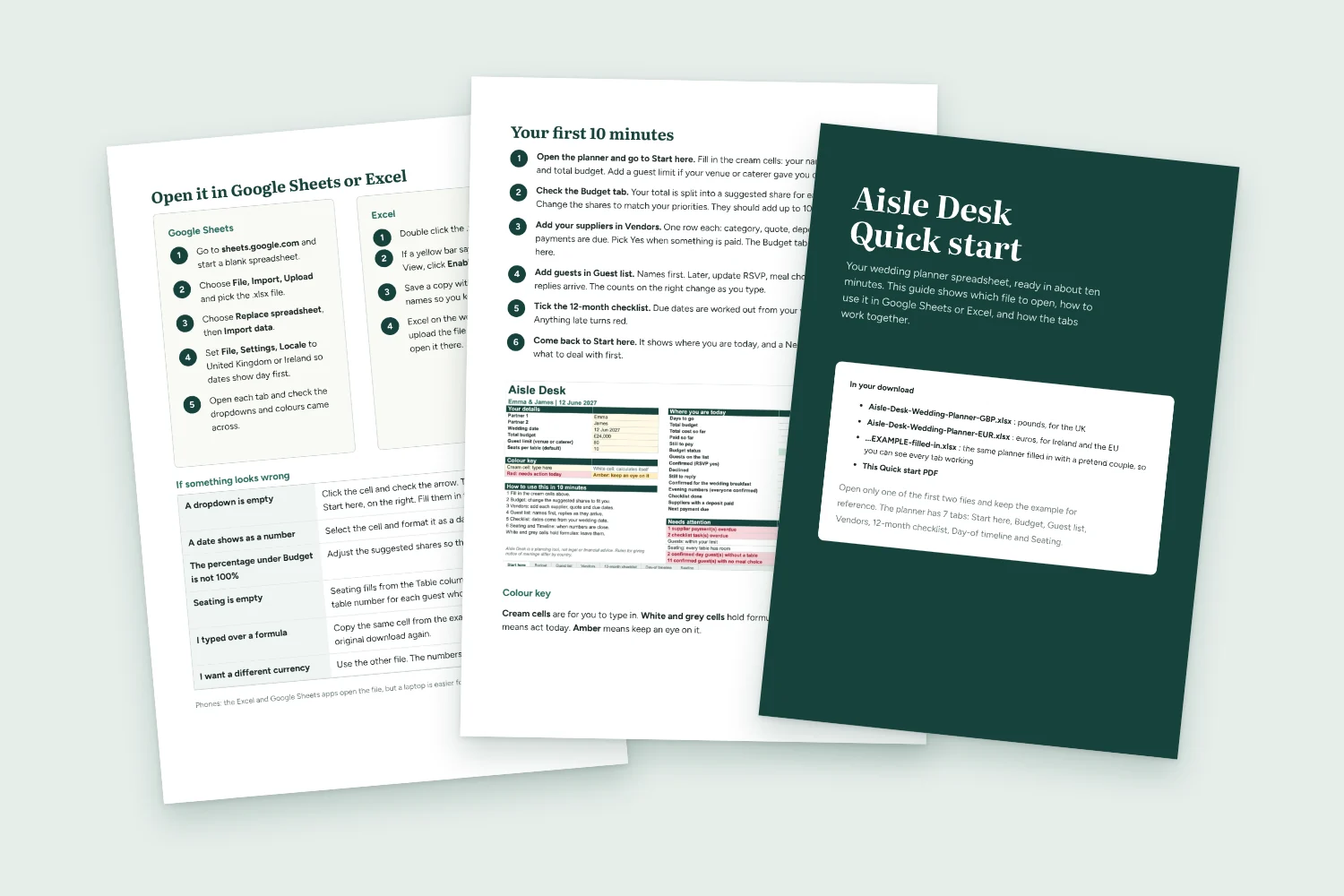
Yes. You upload the file to Google Sheets and choose Replace spreadsheet. The Quick start PDF shows each step. Open each tab afterwards and check the dropdowns and colours came across.
Yes. Open the file in Excel on Windows or Mac, or upload it to OneDrive to use Excel on the web.
The Excel and Google Sheets apps open it. A laptop is easier for the Budget and Guest list tabs.
Both files are in your download. The price is charged in euros.
After payment you get a download link on the screen and by email from Hotmart, the checkout provider.
Yes. Categories and shares are cream cells you can edit. Meal options and payer names are lists you edit on the first tab.
No. It is a planning tool. Rules for giving notice of marriage differ in England and Wales, Scotland, Northern Ireland and Ireland, so check yours with the register office.
Up to 200 guests and 12 tables.
Names, date and total on the first tab. Then add the first supplier.
Get Aisle Desk for €19One payment. VAT included. 30 day money back.